Every app in oneAGPL-3.0Live demo
One app for your team and its AI agents.
wOS opens on a conversation, like the Claude and ChatGPT apps. Around it sit the apps you and your agents both work in: Agents, the board, the CRM, Chat, Email and Meetings. Turn any app on or off, and pick any model.
What wOS does
A conversation first
Ask in plain words and the model works across every app that is on, with a history of past conversations and a model picker.
The Agents view
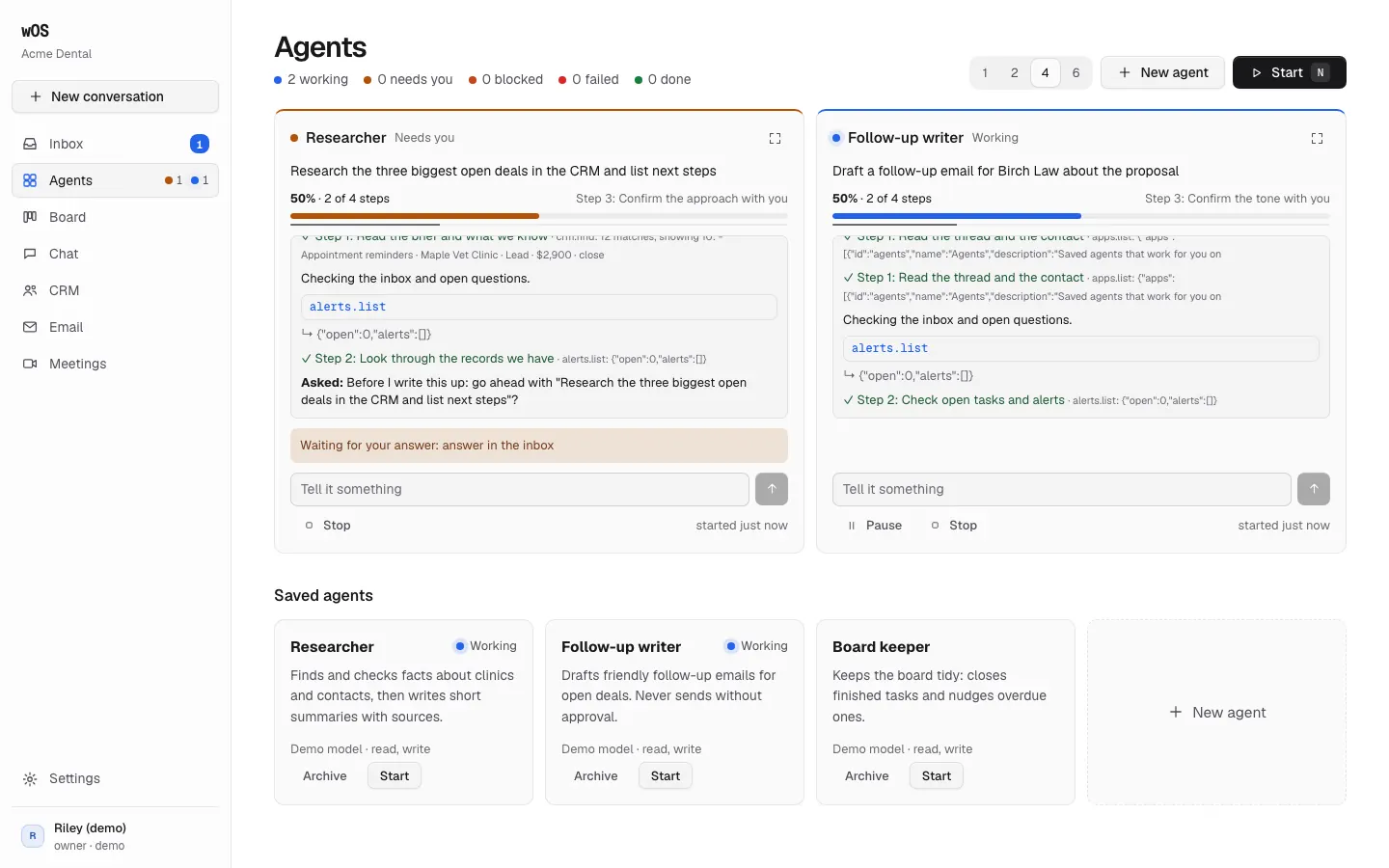
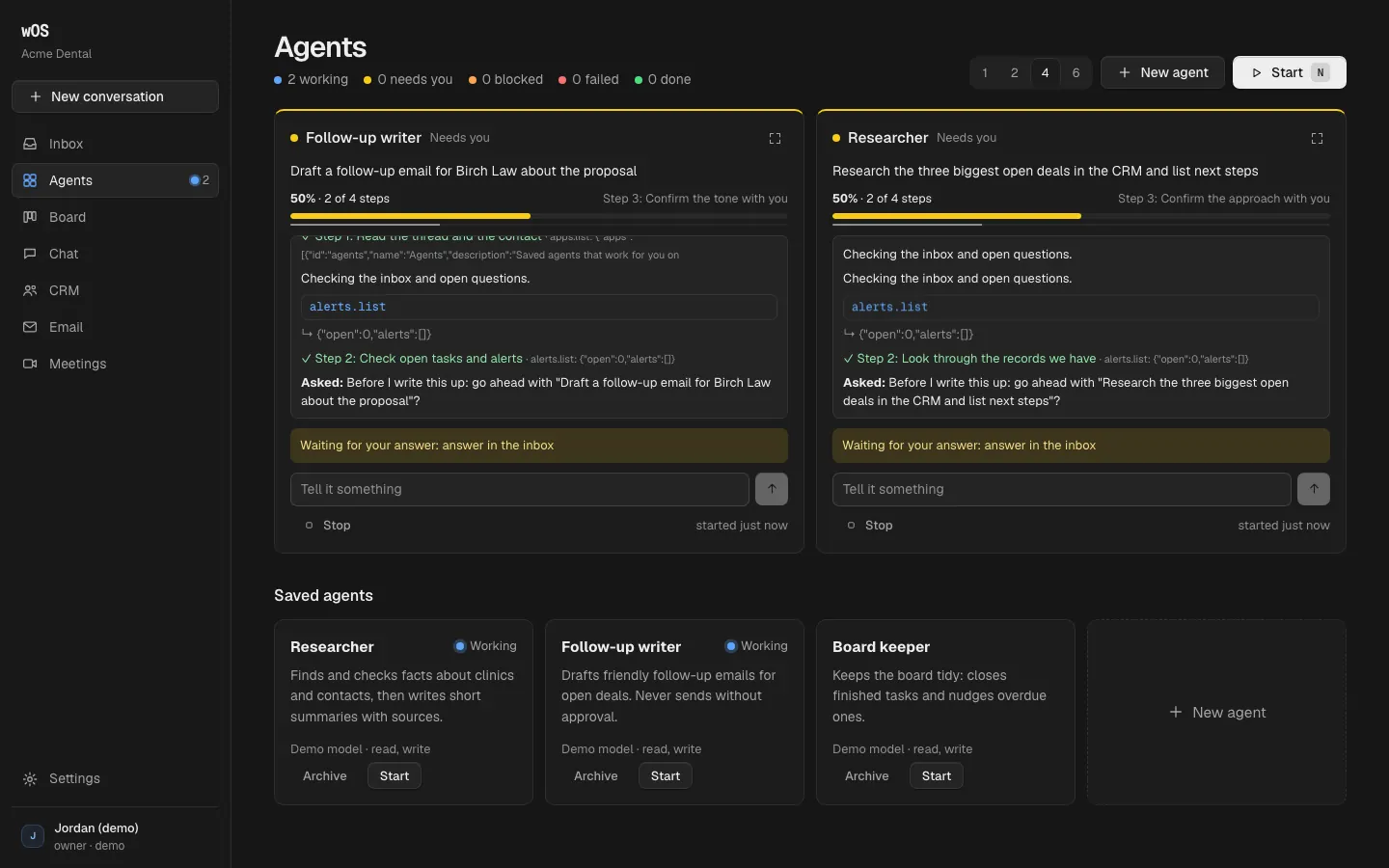
Saved agents run on the server. See 1, 2, 4 or 6 at once in panels, each with its plan as a checklist, progress as done steps out of all steps, and a colour for its status.
Alerts in one inbox
When an agent needs your yes, it waits in one inbox, and can reach you in the browser, as a phone notification or by email.
Apps on and off
Agents, Board, CRM, Chat, Email and Meetings. An app that is off is not loaded at all: no tables, no tools, nothing downloaded.
Any model
Your Anthropic or OpenAI key, a local model through Ollama, or any OpenAI-compatible server. The demo uses a scripted model, so it needs no key.
Leave any time
Export everything with one button. Settings, Hosting also checks your server and says in plain words what is missing.
Agents can run it
Every button calls a tool, and the same tools are served to Claude, ChatGPT, Claude Code and Codex over MCP, for every app that is on. A scripted agent that uses only MCP must be able to turn apps off and on, invite someone, start an agent and export everything, or the build fails.
| App | How to connect |
|---|---|
| Claude (web, desktop, phone) | Settings, Connectors, Add custom connector: https://your-wos/mcp |
| ChatGPT | Add https://your-wos/mcp as a connector |
| Claude Code | claude mcp add --transport http wos https://your-wos/mcp |
| Codex | codex mcp add wos --url https://your-wos/mcp |
| Any program | POST /api/tools/<name> with a JSON body, the same call the screens make |
Host it yourself, free
One command runs wOS, Postgres and HTTPS on any server. One person can run it on their own computer with nothing but Node and a SQLite file. No licence check, ever.
git clone https://github.com/warOnSaaS/suite && cd suite
cp .env.example .env     # set WOS_DOMAIN and WOS_SECRET_KEY
docker compose up -d     # wOS, Postgres and Caddy for HTTPS

# or, one person on one computer:
npm install && npm run build
WOS_SOLO=1 npm start     # http://localhost:8080, SQLite in ./.data
The first person to sign in owns the server; everyone else joins by invite or through a linked GitHub organization. Database changes apply themselves when the server starts.
What you need
| Piece | Why | Free option |
|---|---|---|
| A machine that stays on | Docker or Node 22, for chat sockets, agents and email checks | A $5 to $10 server, a home server, your laptop |
| A domain with HTTPS | Sign-in, phone notifications, installing the app | Caddy in the compose file gets the certificate |
| A database | Storage | The bundled Postgres, Neon, Supabase, RDS, or SQLite |
| Email sending (SMTP) | Sign-in links, invites, alert emails | Any mailbox you already have |
| A model | Conversations and agents | Your API key, or Ollama on your own hardware |
Use ours
The live demo at app.waronsaas.com. Hosting with us, at our cost plus a fair margin shown openly, is coming soon.
Try the demoHost it yourself, free
AGPL-3.0, no account with us, no licence key. Your server, your database, and an export of everything whenever you want it.
Get the code on GitHubLimits, plainly
- Early: this is version 0.1.
- Hosting with us is coming soon. Today, the demo or your own server.
- On serverless hosting like Vercel it runs in a reduced mode: screens refresh by polling, and agents move forward only while a screen is open. The demo runs this way, and its changes can reset.
- A Claude subscription cannot be used inside wOS (Anthropic's rule). Use an API key, or connect wOS to the Claude app as a connector.