Unit 04AGPL-3.0Live demo
A free CRM your small team owns instead of rents.
Contacts, organizations, deals and every call, meeting, note and task, in one place you control. Bring your records over from Salesforce, take them anywhere, and let Claude or ChatGPT do the typing.
What the CRM does
Contacts, companies, deals
Every person, organization and deal, linked to each other, with a page per record that shows its whole history.
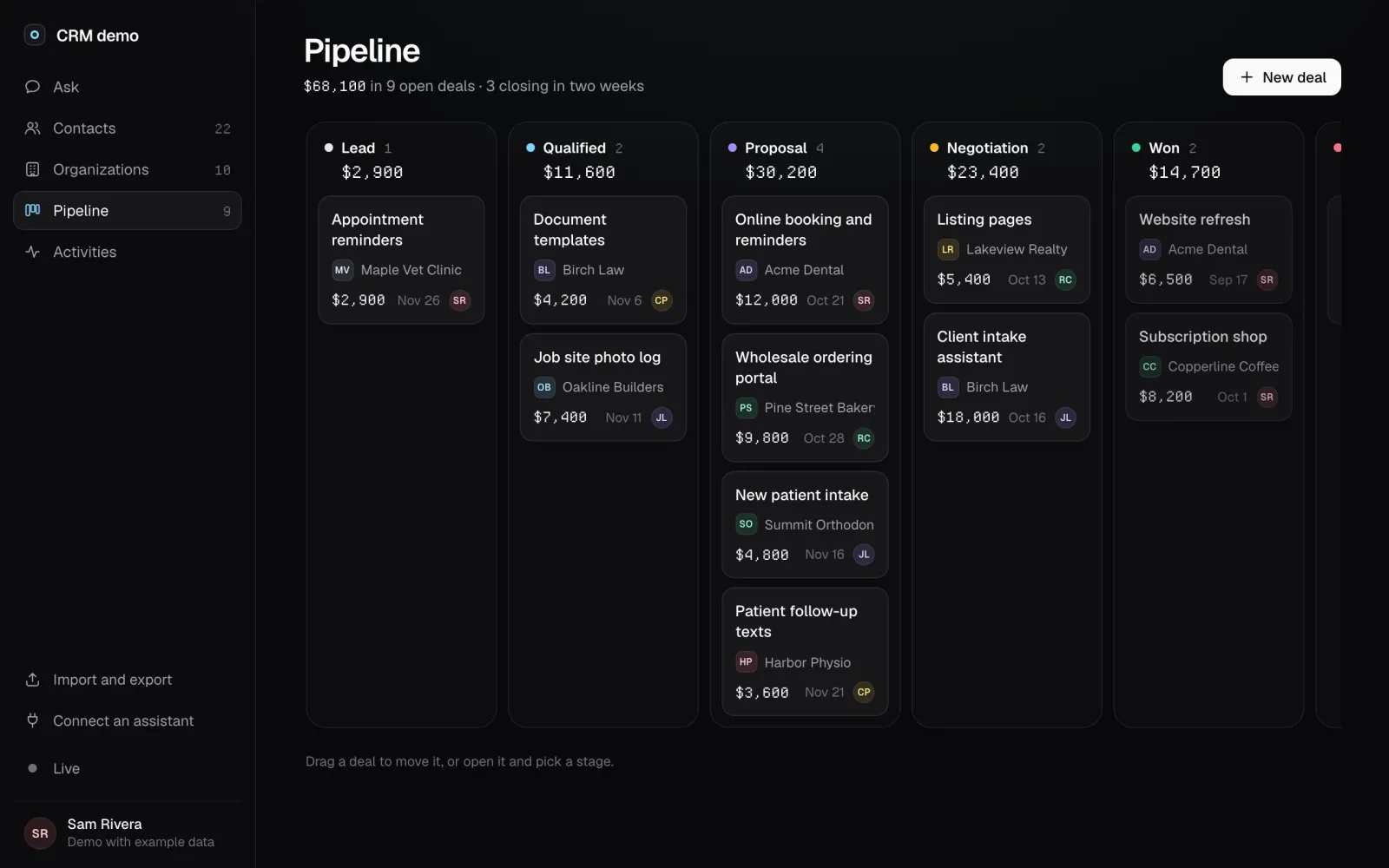
A pipeline you can drag
Deals by stage with totals per stage. Drag a deal to move it, or open it and pick a stage.
Every call and meeting
Calls, meetings, notes and tasks land on the record they belong to, with what is due this week on top.
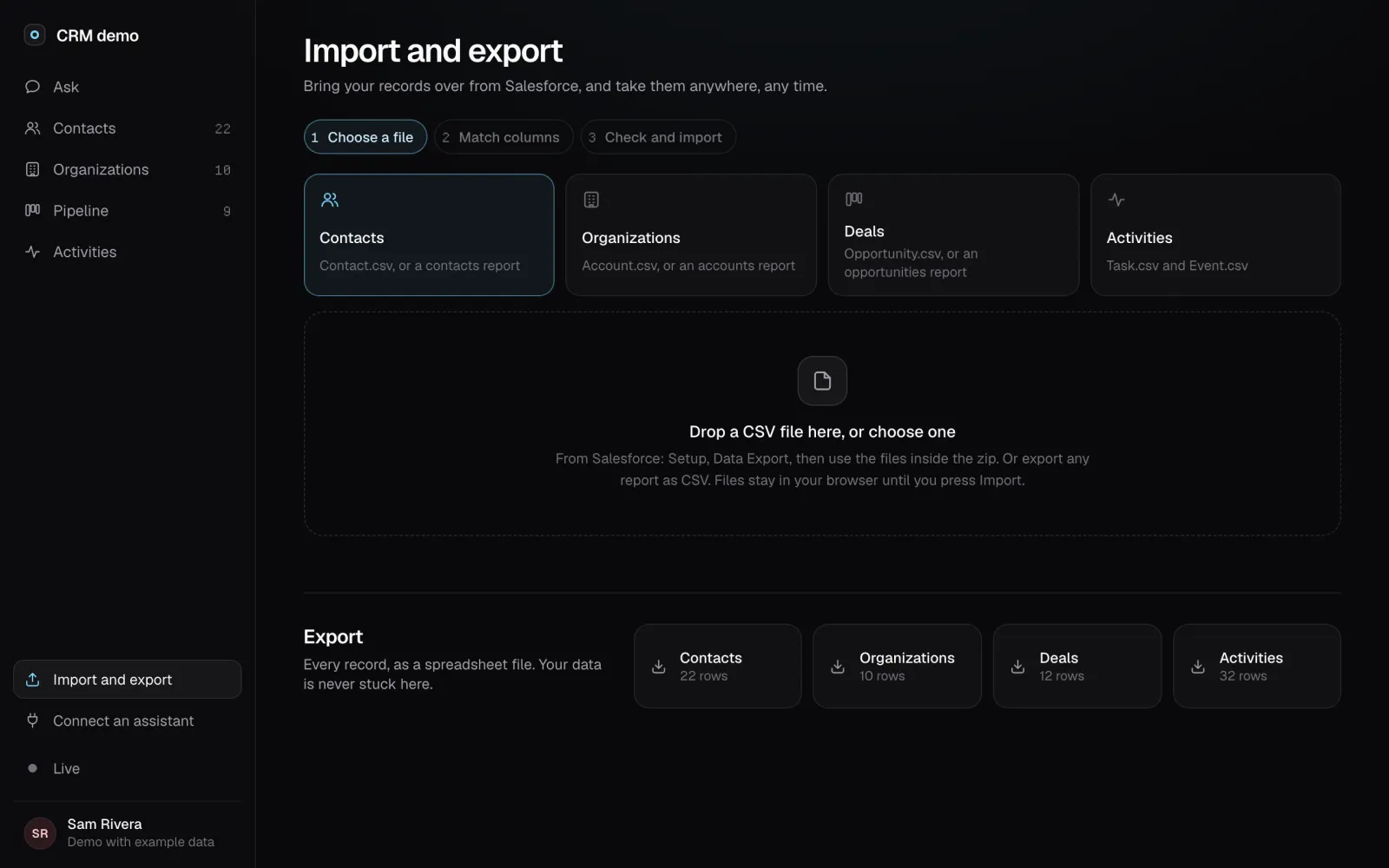
Import from Salesforce
Drop in the files from Salesforce Data Export, or any report saved as CSV. You see every row as new, updated or skipped before anything changes.
Your assistant runs it
Claude, ChatGPT, Claude Code and Codex use the same tools the screens use: "log a call with Dana", "move Birch Law to Won".
Leave any time
Export every kind of record as a spreadsheet file whenever you like. Your data is never stuck here.
Moving off Salesforce
Small teams use a handful of Salesforce's hundreds of features, and pay for all of them per seat. This CRM covers the part you use every day. In Salesforce, go to Setup, then Data Export, and download the zip. Drop the files in, accounts first. Columns are matched for you, and you can change any match. Importing again updates records instead of duplicating them.
Agents can run it
Every button in the CRM calls a tool, and your AI assistant gets the same tools over MCP. Add the CRM to Claude as a custom connector, to Claude Code or Codex with one command, or to ChatGPT as a GPT. Then ask in plain words.
| App | How to connect |
|---|---|
| Claude (web, desktop, phone) | Settings, Connectors, Add custom connector: https://your-crm/mcp |
| Claude Code | claude mcp add --transport http crm https://your-crm/mcp |
| ChatGPT | A GPT with actions imported from https://your-crm/openapi.json |
Two ways to run it
Try the demo
The full CRM with a fictional team and example records. Click around, drag deals, try an import. Nothing to sign up for.
Try the demoHost it yourself, free
Your server, your private GitHub repo for the records, no account with us. You need a GitHub sign-in app and somewhere that runs Node, such as Vercel.
Self-host stepsThe source opens on GitHub soon. The steps below are the ones it ships with.
- Make a workspace repoA private GitHub repo that holds your records. List your team's GitHub usernames in
people.yml. - Create a GitHub sign-in appgithub.com/settings/developers, New OAuth App, with the callback
https://your-crm/oauth/github/callback. - Deploy itTo Vercel or any server that runs Node, with the repo name, a token for it and the sign-in app's details as settings.
- Bring your dataImport and export, then the Salesforce files, accounts first.
Either way, your records are plain files in your own repo, and every kind of record exports as a spreadsheet file.